Professional Background Blur
Transform everyday photos into stunning DSLR-quality portraits. Our AI precisely detects the subject and applies beautiful, adjustable bokeh to the background.
Adjustable Bokeh · Natural Edges · Instant Result
Process
How to Create Bokeh
Upload Photo
Choose your favorite photo. Works great on selfies, portraits, and product shots.
AI Depth Mapping
Our system instantly segments the foreground subject from the background.
Adjust Blur
Use the slider to set the exact amount of blur you want.
Download
Save your newly enhanced portrait in full, stunning high-resolution.
Focus on What Matters
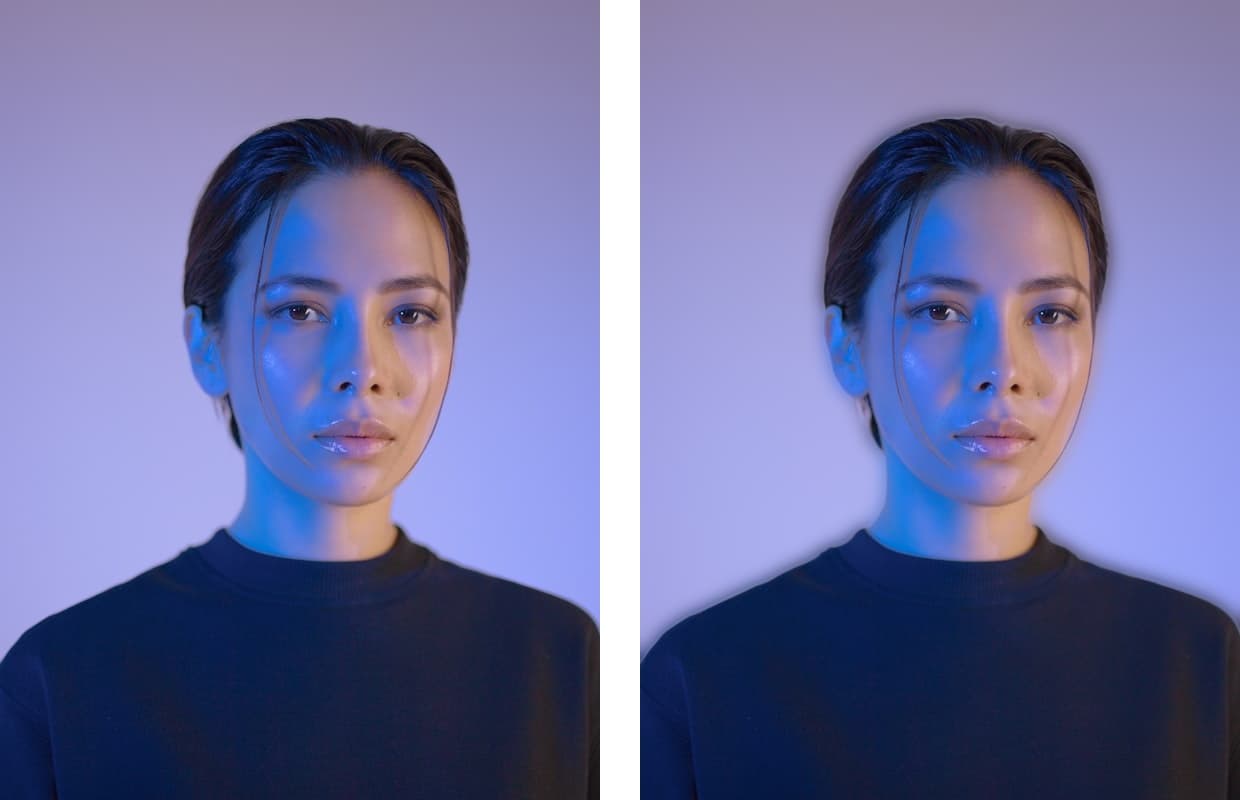
A cluttered or busy background takes attention away from your subject. Our Blur Background tool acts like a fast camera lens, dramatically reducing depth of field to isolate people and products beautifully.
- ✔
Semantic Depth Estimation
The AI understands subject layers, blurring deeper backgrounds more than objects immediately behind the subject.
- ✔
Edge Protection
Unique transition algorithms ensure the subject's edges don't bleed into the blurred background, preventing the "halo" effect.
- ✔
Interactive Sliders
Don't settle for a one-size-fits-all effect. Dial the exact blur radius on the results page to match your vision.
Why Blur
Elevate Your Photos
You don't need expensive photography equipment to get professional results. A well-applied background blur directs the eye and instantly levels up the perceived quality of any snapshot.
DSLR-Like Depth
Simulate the beautiful, shallow depth of field (bokeh) look of expensive camera lenses instantly.
Adjustable Intensity
You control the blur. Dial it in exactly how you want it, from a subtle softening to an intense obscuration.
Perfect Subject Focus
Our AI maps the subject with precision, ensuring hair and edges remain beautifully sharp against the blur.
Private & Secure
We process your images securely. Your photos are deleted from our servers right after processing.
Use Cases
When To Use Background Blur?
Profile Pictures
Make yourself pop out by softening distracting backgrounds for LinkedIn or dating apps.
Product Photography
Highlight your products by blurring out the surrounding environment.
Hide Messy Rooms
Quickly conceal an untidy background for a professional look.
Artistic Effects
Give flat smartphone photos a dramatic, professional cinematic feel.
Enhance Your Photo Now
Upload a portrait or product shot and apply professional bokeh in seconds.
Blur Background →Need a plain white background instead?
Use Remover →